Photo Frame
Learn how to edit your photos
Menu
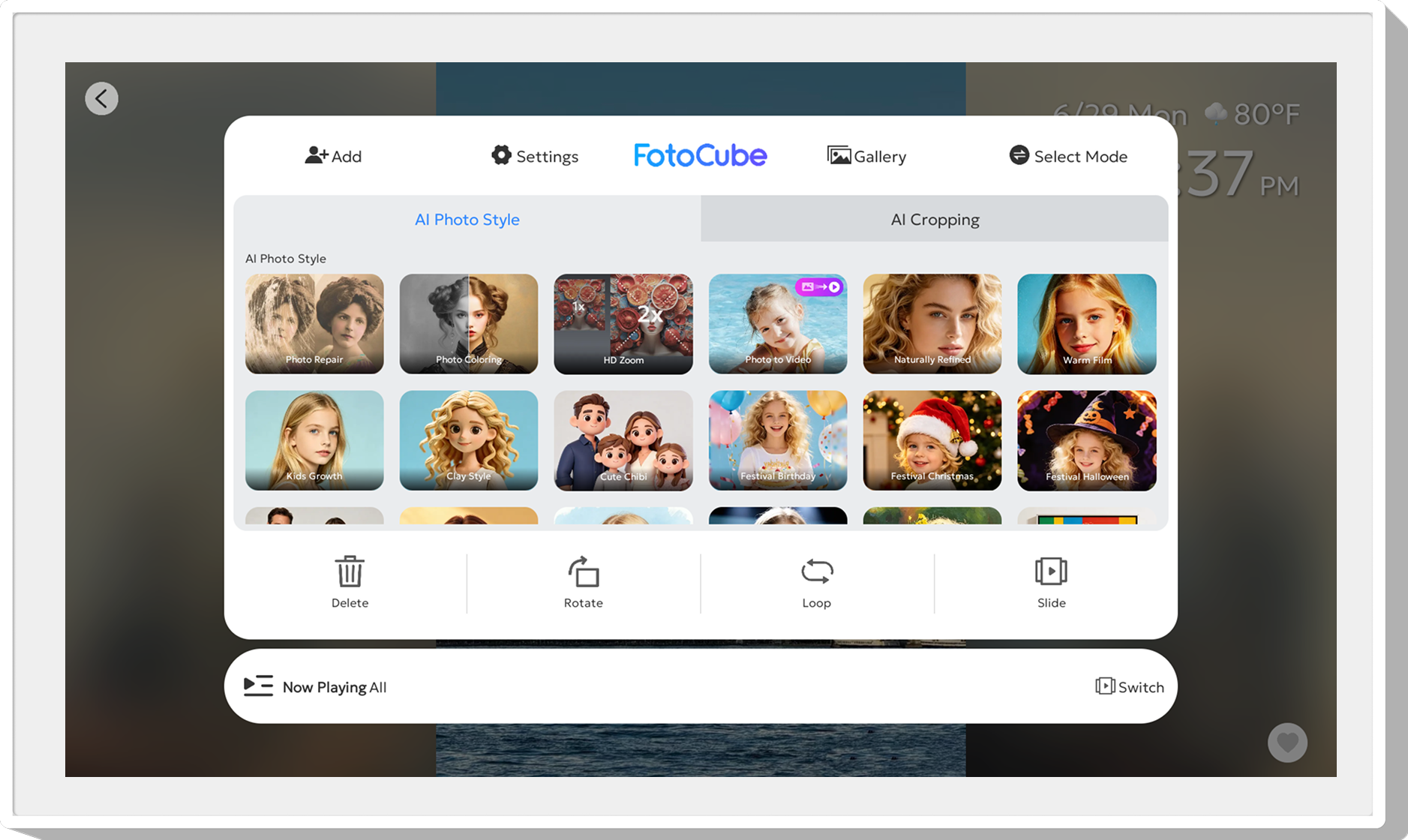
In the menu, you can quickly access functions such as adding friends, settings, gallery, and mode switching. From the menu, you can also adjust settings for the currently displayed photo, such as using the AI photo processing function, deleting, rotating, setting the playback order, and selecting slide transition effects.
Shuffle/Sequential Play
Shuffle Play: Play the contents of the current playlist randomly.
Sequential Play: Play the contents of the current playlist in sequence.
Delete
Click the "Delete" button to delete the current photo or video.
Rotate Photo
You can rotate the photo clockwise by 90, 180, or 270 degrees.
Slide Show
Supports multiple slide transition effects, but only applies to photos.
Like
Click the "Like" button to add your favorite photos or videos to Favorites.
Volume Settings
For video volume, you can adjust the volume level in "Settings".
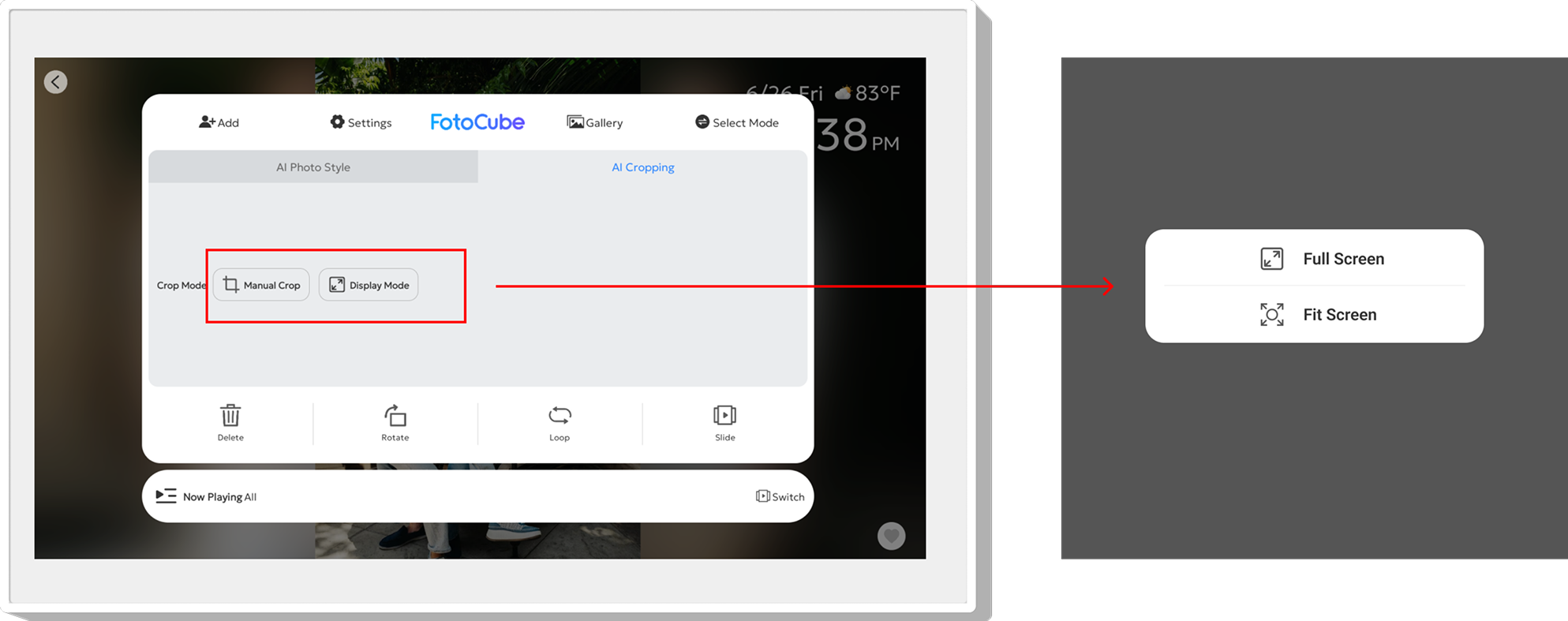
Full Screen Photo Display
Click "Menu -> AI Crop -> Display mode -> Full Screen", which supports displaying all photos in full-screen mode.